Smilo – Break Reminder App for Windows
Meet the tiny companion who looks after your eyes, your back and your focus. Pick one of six lovable characters who nudge you to sip, stretch and step away — with a personality you’ll actually listen to.
Free to join · One email when the Windows download is ready
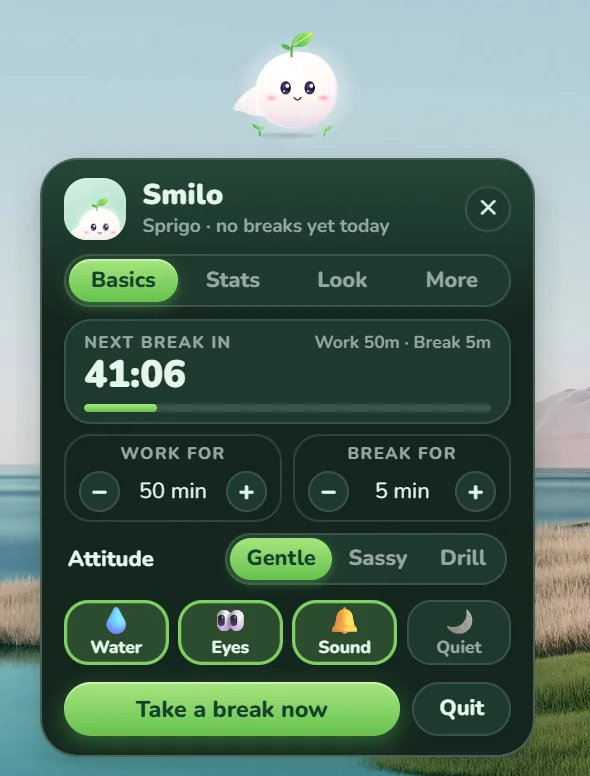
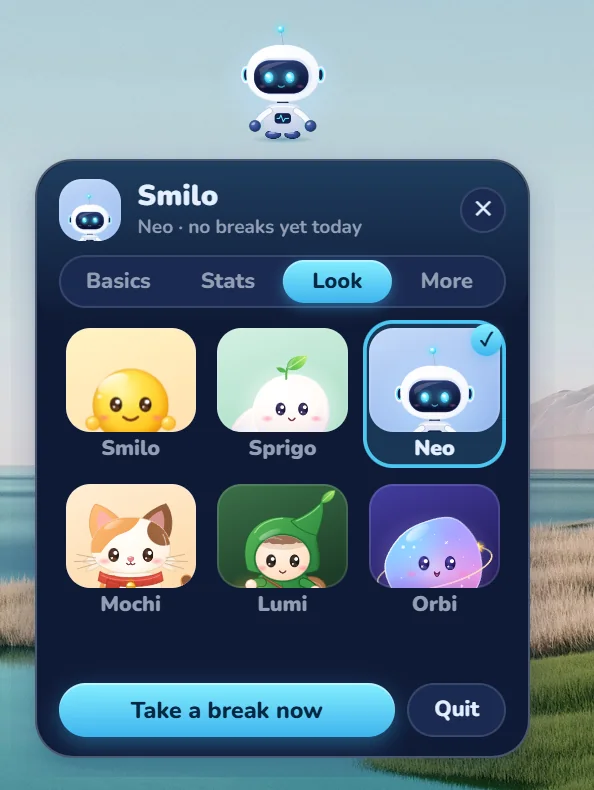


- Smart break detection
- Quiet during calls
- Water & eye reminders
- Six companions
Pick the friend you’ll actually listen to
Six hand-crafted characters, each with its own expressions, reactions and personality. Switch any time.
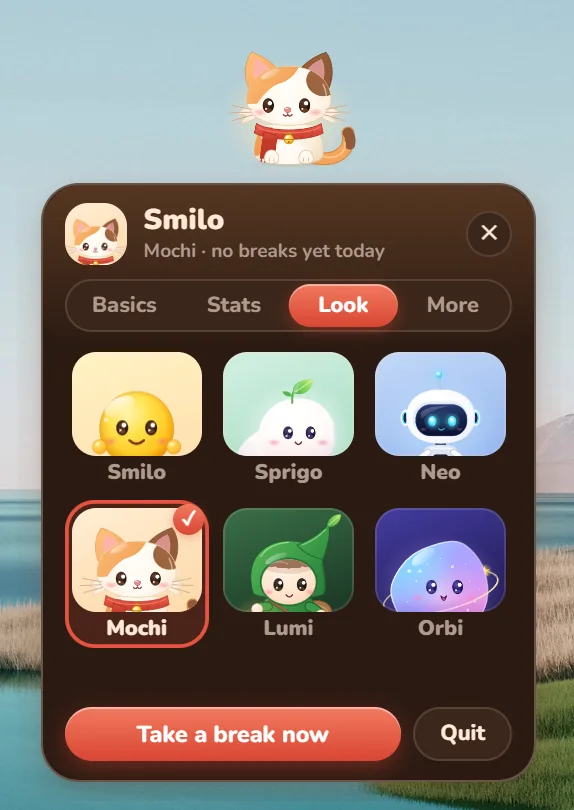
 Switch anytime from the Look tab
The golden original. Round, glossy and endlessly cheerful.
A fluffy sprout spirit who sips water and naps on breaks.
A friendly little robot with a heartbeat on his chest.
A calico cat with a tiny bell and a red scarf.
A leaf-hooded forest sprite with a gentle smile.
A glossy cosmic blob wearing its own little planet ring.
The whole app re-themes to match. Pick Neo and everything glows blue, Sprigo turns it forest green, Mochi warms it to coral, Orbi to violet.
Your screen will never tell you to stop. Smilo will.
Hours disappear into focus. These are the little moments that bring you back to yourself.
A nudge to sip
“Water time! Your brain is mostly water. Keep it that way.” Tap Glug and he’s happy again.
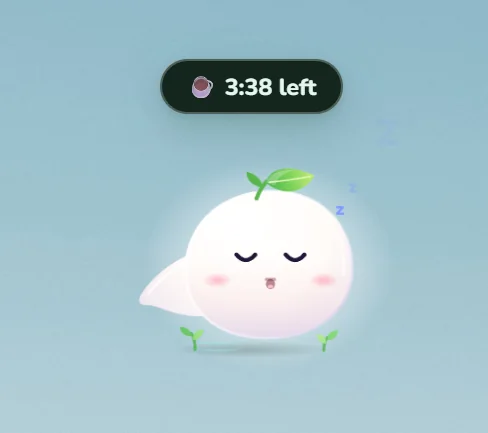
A cosy break countdown
While you rest, he naps and counts down the minutes. Nothing to manage — just step away.
Tiny reactions, big personality
Giggles, naps and a whole range of expressions — every companion feels alive, not like a pop-up.
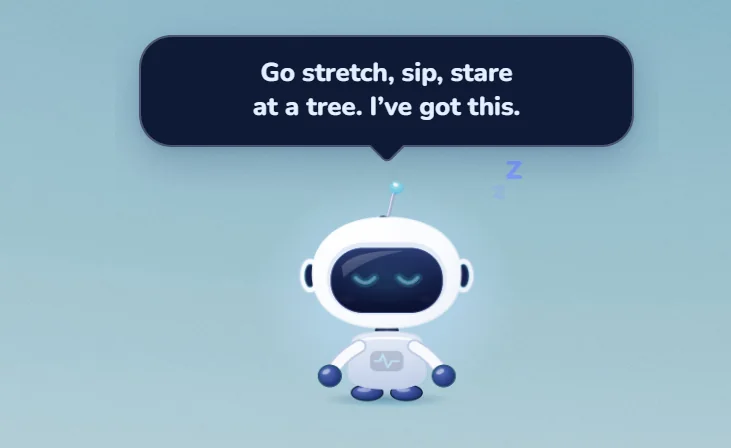
“I’ve got this.”
Go stretch, sip, stare at a tree. He keeps watch while you properly switch off.
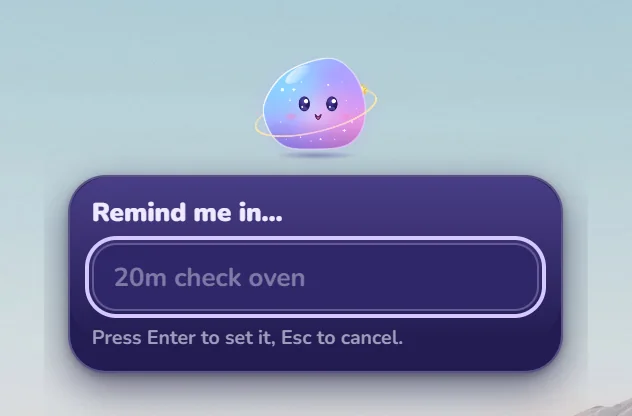
Quick reminders, zero fuss
Type something like “20m check oven” and press Enter. Smilo remembers, so you don’t have to.
How Smilo works
Three simple ideas. No dashboards to babysit, no timers to set.
You work as usual
Smilo keeps track of how long you’ve been active by checking how long it’s been since you last touched the keyboard or mouse. He never reads or records what you type.
He nudges, with personality
Keep going and he escalates one small step at a time — from a curious glance to a full dramatic sulk. You choose how bold he gets: Gentle, Sassy or Drill.
You step away. He notices.
Smilo detects real breaks, not button clicks. Once you’ve genuinely been away, the clock resets, your streak grows and he lights up.
The nudge ladder
Smilo never starts with a shout. He climbs these steps only if you keep ignoring him — and he’s back to smiling the moment you take a break.
- Step 1GlanceA curious look your way
- Step 2WaveA friendly “hello?”
- Step 3SignHolds up a polite sign
- Step 4Fake faintDramatically collapses
- Step 5SulkTurns away, a little hurt
A small companion with thoughtful details
Built to look after you without ever getting in your way.
Real break detection
Smilo notices when you’ve actually stepped away. Fidgeting with a button doesn’t count — a genuine pause does.
Six companions
Smilo, Sprigo, Neo, Mochi, Lumi and Orbi. Each has its own look, moods and reactions, and the app re-themes to match.
Three attitudes
Gentle, Sassy or Drill. Pick the voice that actually gets you out of your chair — and change it whenever you like.
Quiet when it matters
He hides during full-screen apps, presentations, Do Not Disturb and calls, and holds every nudge until you’re free.
Waits for a typing pause
No interrupting you mid-sentence. Smilo waits for a short gap in your typing — though not forever.
Quick reminders
Type “20m check oven” and press Enter. One-off reminders, without opening another app.
Streaks & stats
Breaks today, day streak, work time and a 7-day chart — plus how you responded to each nudge.
Water, eyes & sound
Switch on water and eye-rest reminders, mute the sound, or hit Quiet — each is one tap on the Basics tab.
Starts with Windows
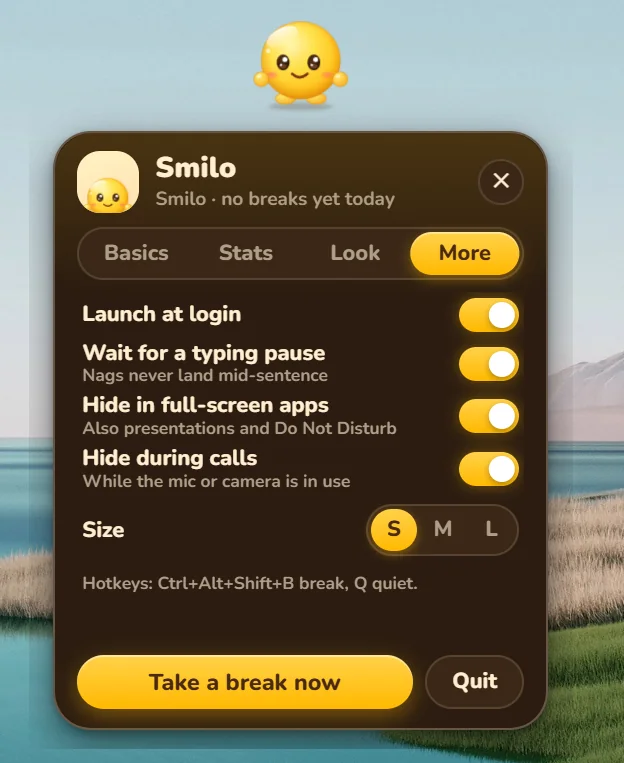
Launch at login, one copy at a time. Global hotkeys: Ctrl+Alt+Shift+B for a break, Q for quiet.
Everything you need. Nothing you don’t.
One compact panel with four tabs: Basics, Stats, Look and More. It stays out of your way until you want it.
- Set your own rhythmChoose how long you work and how long you rest, with a live countdown to your next break.
- Make him yoursPick his attitude, switch Water, Eyes and Sound on or off, and resize him to S, M or L. Drag him anywhere — he remembers his spot.
- Never interruptedHe waits for a typing pause and hides in full-screen apps, presentations, Do Not Disturb and calls.
- One click to rest“Take a break now” is always at hand, or press Ctrl+Alt+Shift+B from any app.
Pick his personality
Same caring friend, three very different ways of saying “take a break”.
Gentle
Soft, warm and patient. For deep-focus days when you want a nudge, not a nag.
“Your eyes have been working hard. Shall we look away for a minute?”
Sassy
Playful and a little cheeky. For people who respond better to a raised eyebrow than a reminder.
“Still here? Your chair is starting to feel used.”
Drill
Short, firm and impossible to miss. For the days you know you’ll bargain with yourself.
“Break time. Stand up. Now.”
Example lines to give you a feel for each tone.
Small pauses, big difference
Smilo isn’t about working less. It’s about being able to keep going, comfortably, for years.
Rest your eyes
Long stretches of close focus tire your eyes. A regular look-away — the idea behind the well-known 20-20-20 habit — is an easy way to ease the strain.
Move a little
Standing up, rolling your shoulders or walking to the window keeps stiffness from quietly building through the day.
Stay sharp
Short, regular pauses make it easier to return to hard problems with a clearer head and a fresh angle.
Keep a kinder rhythm
Smilo cheers the breaks you take and only sulks a little when you skip them. It’s accountability that feels like company.
- Developers
- Designers
- Writers
- Students
- Analysts
- Remote teams
- Anyone with a long screen day
Smilo is a friendly wellbeing helper, not a medical device or medical advice.
Questions, answered
What is Smilo?
Smilo is a small animated companion for your Windows desktop. He keeps track of how long you’ve been working and nudges you to take real breaks, gently by default, with more attitude if you prefer.
Which companions can I choose?
Six so far: Smilo, Sprigo, Neo, Mochi, Lumi and Orbi. Switch any time from the Look tab, and the whole app re-themes to match your pick.
How does Smilo know I’ve taken a break?
He measures idle time: how long it has been since you last used the keyboard or mouse. Once you’ve been away long enough, the break counts, your work timer resets and your streak grows.
Does Smilo record what I type or watch my screen?
No. He only measures idle time. When a microphone or camera is in use, he checks only that it is in use so he can stay quiet during calls. He never listens or looks.
Will he interrupt calls, presentations or full-screen apps?
No. Smilo hides during full-screen apps, presentations, Do Not Disturb and calls, and holds his reminders until you’re free. He also waits for a short pause in your typing before nudging. You can switch these rules off in the More tab.
Can I set my own work and break times?
Yes. Set how long you work and how long you rest from the Basics tab, for example 50 minutes of work and a 5-minute break, and switch Water, Eyes and Sound reminders on or off.
Can he remind me about other things?
Yes. Type something like 20m check oven, press Enter, and Smilo will remind you when the time is up.
Where can I get Smilo, and when?
Smilo is a Windows desktop app that will be delivered as a simple .exe installer. It isn’t public just yet. Join the waitlist and you’ll get one email as soon as the download is ready.
Ready to meet your new favourite break?
The Windows installer is on its way. Join the waitlist and we’ll email you the moment Smilo is ready to download.
No spam. Just one email when Smilo is ready.
A Build With Sabari app · All apps